Training Design & Delivery

E-Learning Services
Digitising Your Content
Shifting Into E-Learning From traditional workbook and practical learning into blended or complete E-Learning can appear daunting. To help you maintain continuity with your clients Dativity can digitise your existing content.
Scoping Your Build
Each transition is unique. We will scope your digitising project with you to ensure your learner cohorts are catered to. Considerations include the level of digital / online experience that is typical in your industry, the complexity of the course structures you deliver, the platform(s) you will use to deliver your E-Learning and importantly the suitability of your current materials.
LMS Integration
With extensive experience across a range of platforms, our team can help you transpose your learning resources into your LMS. Options include simple SCORM upload right through to assessment creation and testing.
Base Options and Extras
At times a staggered approach to moving into E-Learning is needed. If you don't yet deliver training online it is possible to implement a staggered approach using workbook style learning, then a blended workbook to E-Learning stage and finally complete E-Learning. Getting students comfortable with E-Learning may include starting with animated introductions and video before progressing into SCORM or more advanced options such as 360 degree walkthroughs and Work Wise Learning 3dSim.
3d Environments
Interactive Learning
Adding more interactive tools helps keep training interesting and can multiply the retention and completion rates for your students. Our 3DSim tool is compatible with most leading LMS platforms. Each project is unique with outsomes tailored to your cohorts’ needs.
Work Wise Learning 3DSim
Our in-House Virtual Reality 3D Concept tool, ‘Work Wise Learning 3DSim’ allows you to mimic VR technology without the need for headsets. All you need is a keyboard and mouse. This highly interactive virtual reality technology can be embedded in leading LMS platforms using Dativity3DSim technology or it can be operated in stand alone format.
Reduce Costs & Increase Retention
Reduce costs and increase retention! As it’s inside your LMS platform you can reduce on-site learning costs whilst adding hazards, observable tasks and other customised items as needed to cover numerous learning objectives virtually.
Simulated Workplace Environments
Policies & Procedures - Our policies and procedures packages include all the key items you require to develop environments specific to your industry. Helping You Meet Assessment Conditions - Work Wise Learning simulated learning environments come with example policies and procedures, forms, example job descriptions as well as organisational charts to assist colleges in meeting the assessment conditions outlined in each unit of competency. Ready to use simulated learning environment products are available in our store, or we can custom produce environments to suit your needs.


S.C.O.R.M
Boost Student Interactivity
SCORM, which stands for Sharable Content Object Reference Model, is a set of technical standards for E-Learning software products. To increase learning retention, SCORM can help greatly as it utilises both static and interactive modules. These may include multi media, drag and drop, image highlighting, menu driven options and more. Dativity can incorporate other products such as video and animation within your SCORM packages to further enhance the student experience.
SCORM and Your LMS
We create and export your SCORM content in 'packages' which fit the specifications of your LMS. Once we've built your SCORM packages they can be moved to other LMS systems if you change in the future, giving you flexibility in your business
Learning & Quiz Tools
Work Wise Learning SCORM tools present your learning materials and include multi-media in a wide variety of methods to keep your learners engaged. We can add knowledge checks, quizzes and simple activities along the way to encourage students to interact, rather than simply read materials. Our creative team can produce graphics, infographics, images and animations for you to help make static materials come to life.
SCORM Options
We offer basic and advanced SCORM packages to suit your budget and your students needs. Some of the options include: • Images provided by us. Videos and audio, either raw or hosted (eg Youtube) • Text, image carousel, check boxes, lists & file attachments. • Accordion blocks and sorting activities. • Hotspots / labelled graphic. • Animated Introductions with Avatar, custom voice and motion graphics. • Quizzes with automatically assessed questions including multiple choice, multiple response, fill-in the-blank and matching questions. • Flash Cards click-and-reveal interaction using a mix of text and images which flip to show the reverse side. • Chart Blocks for stylish data visualizations for your projects such as bar, line, and pie charts. • Scenario Blocks with responses and feedback to create your scenario, moving from scene to scene based on users responses. Great for soft skills training.
Animation & Graphic Design
Animation in E-Learning
Animation adds movement to your learning experience. Animated introductions and explainers can be used on commencement of learning or throughout the course. Animation is considerably less expensive than video production and is more modular, allowing re-edits so content can be utilised across your course offering.
Animated Introductions
Frame Your Learning. Help to prepare your students for each unit, module or course with animated Introductions. These brief introductory animations help to outline course or lesson outcomes before your students commence. You may include customised instructions for your particular delivery style. Options include custom avatar, voice over and motion graphics.
Summarise Complex Processes
Our animated explainers help to outline concepts your students will need to grasp as they progress through their learning. Examples may include a government regulatory act or industry body outline. By presenting in a stylish, succinct visual method learning retention is maximised and animated explainers are cheaper and easier to produce than video for great effect.
Animated Logos & Graphics
Adding movement to graphics may enhance your brand and your appeal to students and clients on the online space. Ideas for animated graphics may include: - Logos - Email signatures - Headers & footers - E-Learning graphics - Social media graphics - Online marketing graphics

Video Production
Bring Your Training To Life
Video is proven to assist in keeping students engaged. As a part of a mix of Text, Animations and interactive quizzes, Video can help increase retention for student who learn best from visual demonstration.
Pre-Production: Concept Development and Scriptwriting
This stage focuses on shaping your learning goals into a clear and engaging video plan. Through concept development and scriptwriting, we ensure every element—from tone to pacing—is purpose-built for learner engagement and knowledge retention. Our team collaborates closely with you to align scripts with your learning objectives, using strong storytelling techniques and visual planning to set the foundation for compelling educational content.
Production: Capturing and Creating Visual Elements
In this phase, we bring your script to life through a mix of dynamic content forms. Whether it’s custom animations to simplify complex ideas, footage filmed in your workplace, or short expert-led sound bites, each visual element strengthens the learning experience. When appropriate, we enhance content with high-quality stock footage, imagery, or annotated screen captures to illustrate key concepts and maintain visual consistency with your brand.
Post-Production: Voiceover, Review, and Final Delivery
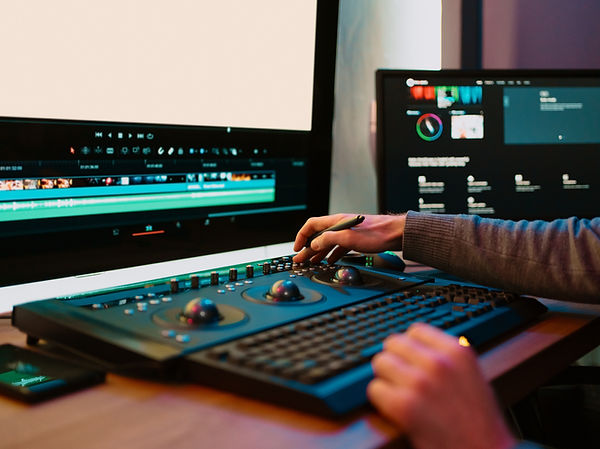
Our post-production process ensures your learning videos meet the highest standards before release. Professional voiceover artists record clear and engaging narration that complements your brand’s tone. We conduct multiple review cycles for accuracy, flow, and alignment with your expectations. Finally, we optimize the finished videos for use across all platforms—LMS, web, and mobile—so learners can enjoy seamless access in any environment.